
How a note in Obsidian becomes a page on my website
· Day 5 · Obsidian · 3 min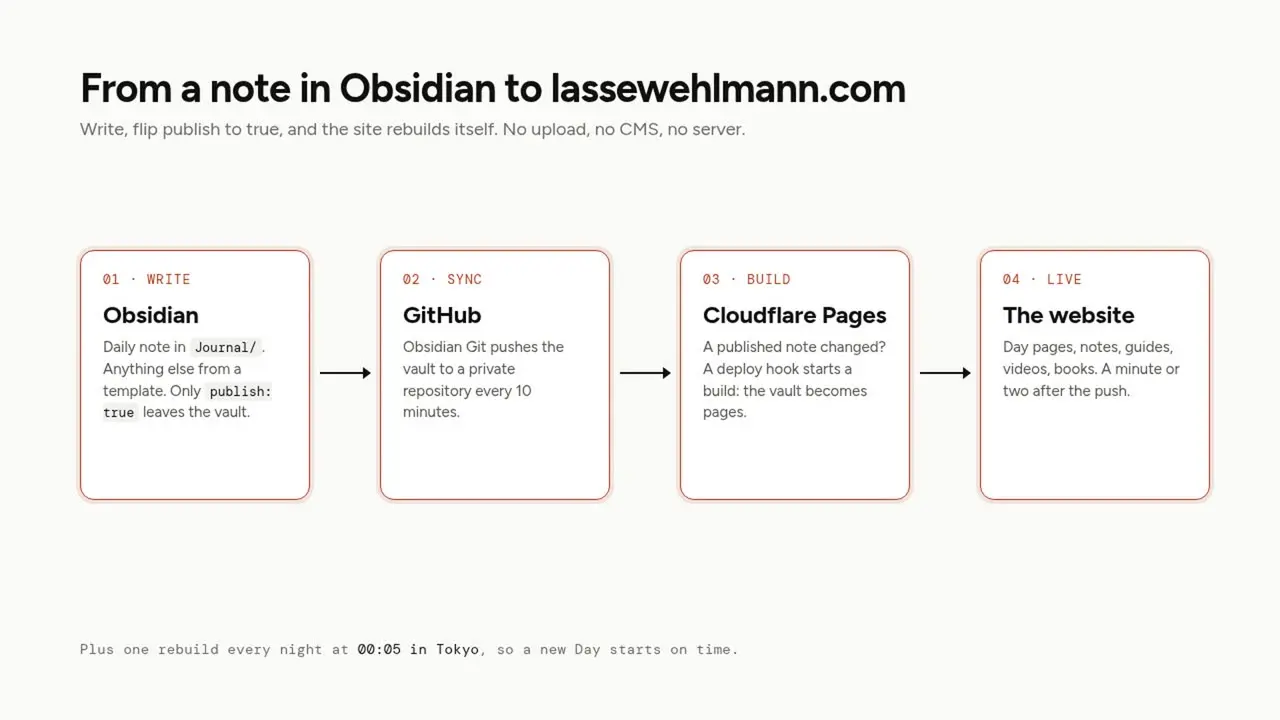
A note becomes a page when its properties say publish: true. The Git plugin syncs it to GitHub, a small check sees that a published note changed, and Cloudflare rebuilds the site. A couple of minutes later it is online. Every note without that line stays in the vault, and so does anything between %% marks.
What stays private
Three rules, no exceptions:
- Only notes with
publish: true. A note without it never leaves the vault, whatever folder it is in. %% comments %%are removed, even in a published note. That is where names, numbers and reminders to myself go.- A
[[link]]to a private note becomes plain text. The reader sees the words, not a link, and never the note behind it.
The vault itself sits in a private GitHub repository. The website's build can read it, with a token that is only allowed to read, and turns only published notes into pages.
What the build does with a note
A small script runs before every build. It reads the vault and, for each published note:
- a daily note in
Journal/named like2026-10-05becomes that day's page, and the money in itsearnedproperty goes into the totals - every other note lands where its template says: a note, a guide, a video, a book, a project (more in Obsidian templates that put every note in the right place)
[[links]]between published notes become real links, and every note shows which notes link back to it![[photo.jpg|what it shows]]becomes a small, compressed photo with that description for screen readers. Straight from the phone is fine.![[clip.mp4|what it shows]]becomes a video player that loads nothing until you press play
What starts a build
Publishing. The notes repository has a small GitHub workflow. On every push it looks at what changed. A published note, or one that was published before and is not anymore? It calls Cloudflare's deploy hook. Only private notes? Nothing happens. The Git plugin pushes every ten minutes while I write, and most of those pushes are private stuff, so this check keeps the build count low.
Midnight in Tokyo. Every night at 00:05 the site rebuilds itself, so the new day gets its page on time.
Scheduling a post
Every note has a date: the day it counts for. If that day is still in the future, the note stays hidden, even with publish: true. On that day, the midnight rebuild puts it online.
So scheduling is two lines: publish: true and tomorrow's date. That is how this series goes out, one guide a day.
Unpublishing
Set publish: false and let it sync. The next build removes the page. The note stays in your vault and in the private repository's history, but the website forgets it.
When a note does not show up
The build log on Cloudflare says why, in plain words, for example skipped "Videos/Interview.md": a video needs a youtube property. Almost always it is one of these:
publishis stillfalse- the
dateis missing, or in the future - a required field is empty: a video without its
youtubeaddress, a book without anauthor - the sync has not happened yet: look for the Git plugin's last push
Next: Obsidian templates that put every note in the right place, so every note lands in the right place. The whole story in one post: How this site works, and how I built it.